
mLRS MAVLink 900M CAN Receiver, mR900-30C
mLRS (MAVLink long range system) firmware, 900 MHz LoRa, 30 dBm RF power, CAN
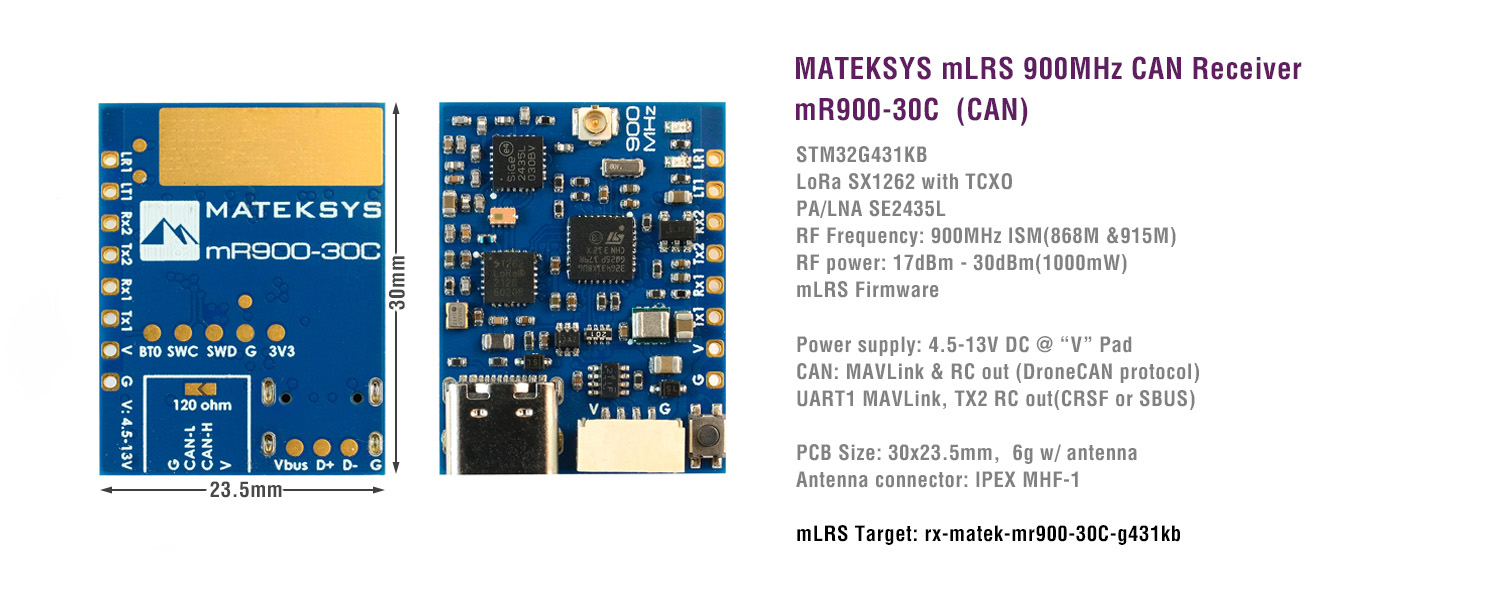
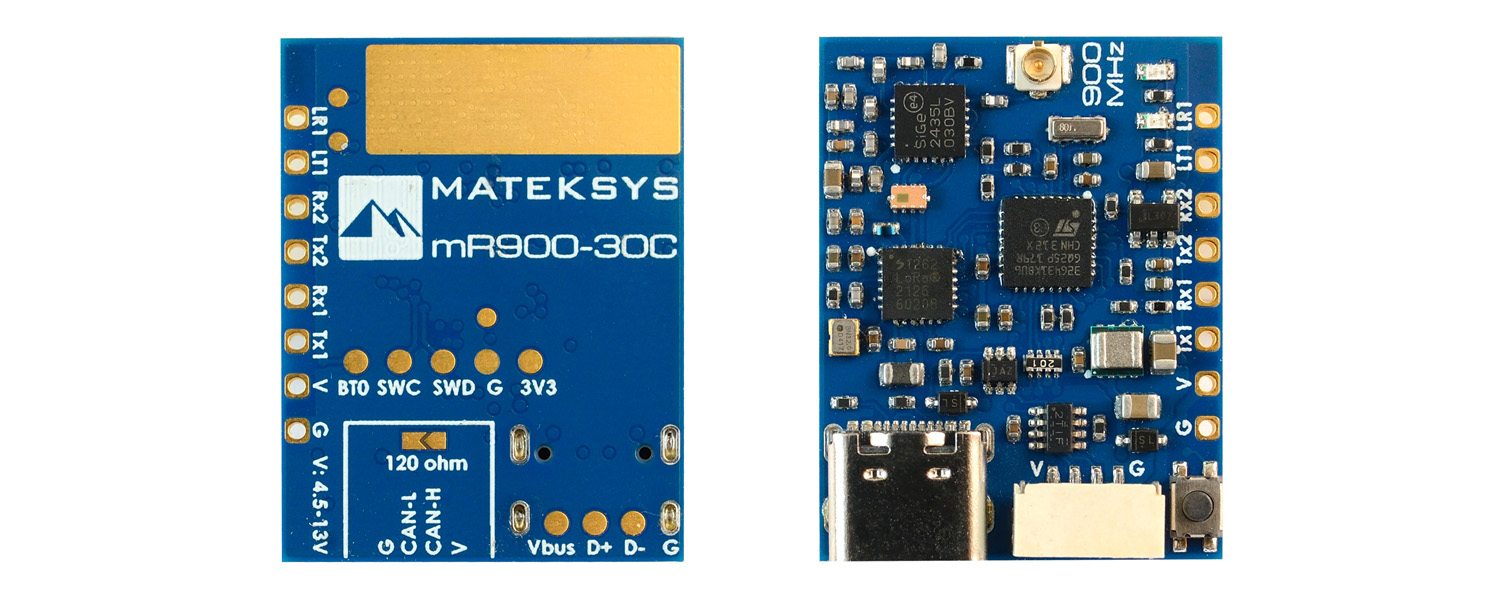
Specifications
Specifications
- STM32G431KB, mLRS firmware
- LoRa SX1262 with TCXO
- PA/LNA SE2435L
- RF Frequency: 900MHz (868MHz, 915MHz FCC)
- 915MHz RF power: 17dBm(min) / 20dBm / 24dBm / 27dBm / 30dBm(1000mW)
- 868MHz RF power: 17dBm(min) / 20dBm / 24dBm / 27dBm / 30dBm(1000mW)
- Antenna connector: IPEX MHF-1
- CAN: Bi-directional Serial MAVLink & RC out (DroneCAN protocol), Default
- TX1/RX1: Bi-directional Serial MAVLink
- TX2: RC out(CRSF or SBUS)
- one buttom for DFU mode and Bind
- Power supply: 4.5-13V DC @ “V” Pad
- Power dissipation: Average 340mA/Peak 850mA@5V IN(31Hz, 30dbm)
- PCB Size: 30×213.5mm
- Weight: 6g w/ antenna
- Packing:
- 1x mR900-30C
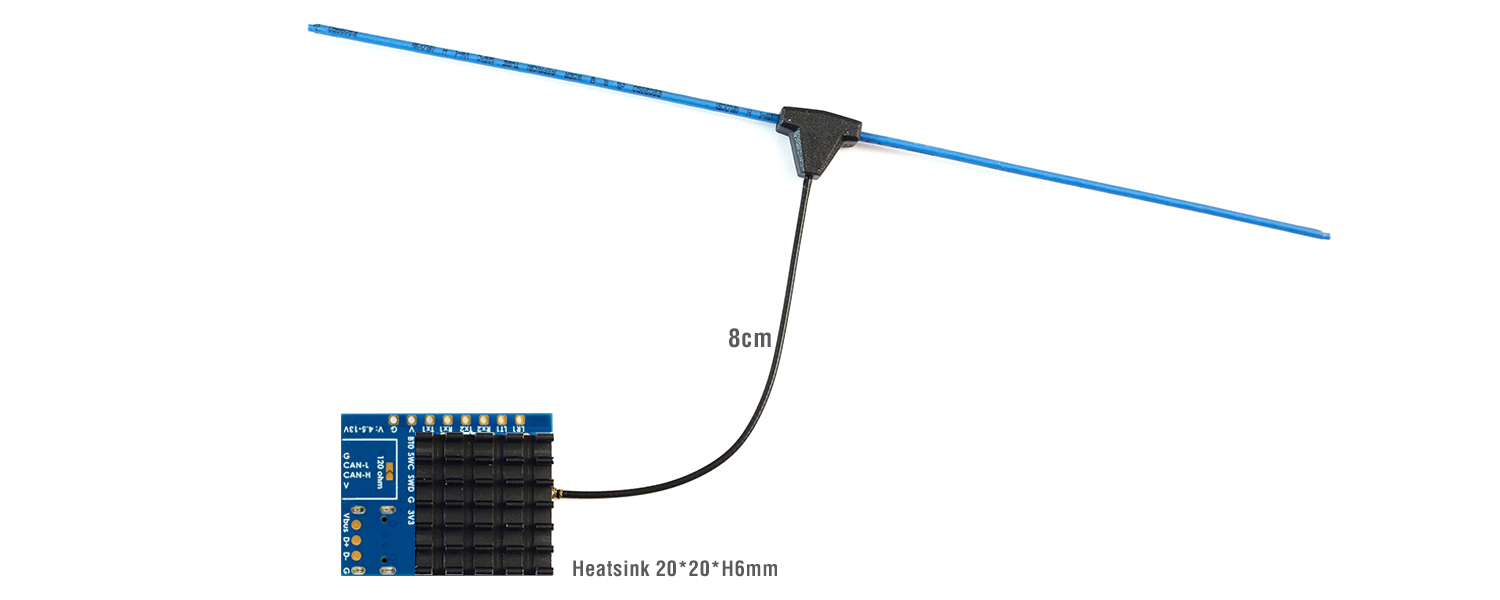
- 1x IPEX MHF1 dipole antenna. 8cm
- 1x Heatsink 20*20*6mm
LED Status
- [Red flashing 2Hz], not connected to transmitter
- [Green flashing 1Hz], connected to transmitter
- [Red and Green alternately ], Binding mode enabled
Binding
- After powering on, press the bind button (for ca. 4 seconds) on the receiver. When in bind mode, the green and red LEDs will blink alternatively with ca 2.5 Hz.
- https://github.com/olliw42/mLRS-docu/blob/master/docs/BINDING.md
Firmware
- mLRS https://github.com/olliw42/mLRS/tree/main/firmware/pre-release-stm32
- Targets:
- rx-matek-mr900-30C-g431kb
Settings
Tips
- mLRS Github & Documentation
- mLRS Discord
- mLRS Facebook group
- If set RF power >=500mW, It is recommended to attach the heatsink to the bottom side of PCB. The gaps between fins can be used for mounting with M3 screws
- MATEKSYS mLRS 900MHz series are NOT compatible with ELRS 900MHz & Frsky R9 series using the SX127x. They will not bind with each other.
- SX126x_SX127x_INCOMPATIBILITY
Firmware flashing
- mLRS Flasher Web App
- Targets:
- RX Receiver: rx-matek-mr900-30c-g431kb
————————————————————————————————————
Make sure DFU driver has been installed. Check out “Install DFU Drivers” in this page
Connect the Receiver USB to computer while holding the boot button in.
- Click “Receiver” tab
- Firmware file: rx-matek-mr900-30c-g431kb-v***.hex
- Flash method: DFU(USB)
- Click “Flash Receiver”
- After programming, unplug USB and plug USB back in. If red LED blinks at 2Hz, the receiver is waiting for connecting with transmitter.
- When the receiver is powered on and running in normal mode with mLRS firmware, it is normal for the computer to display an “Unknown USB Device” warning.
- The USB DM and DP pins of the G431 MCU are multiplexed and occupied by the CAN transceiver, which disables normal USB functionality and causes the system to report an unknown device.
Resellers
